Intelligent Tiering for CD4ML S3 Buckets

Summary
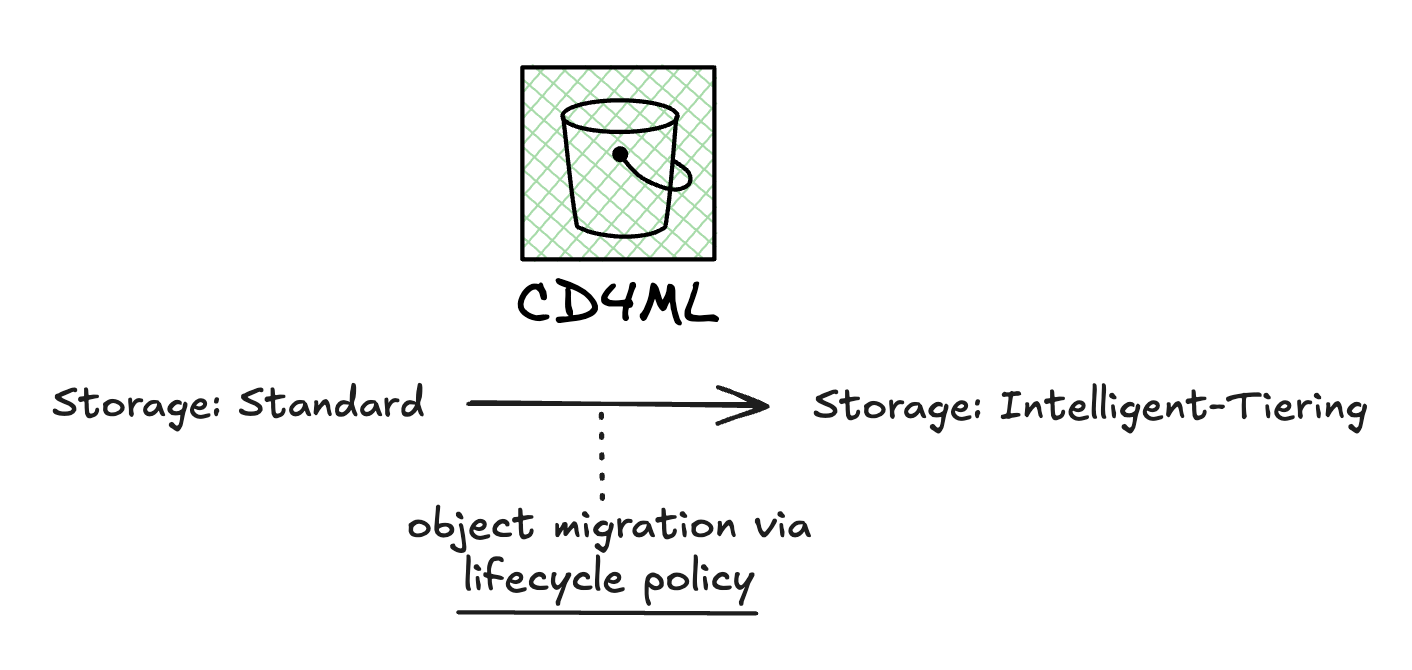
The goal of this change is, mainly, to cut costs across all of the cd4ml buckets, since it's been noticed that we have a lot of stored objects, sometimes summing up to terabytes of used space.
Release Highlights
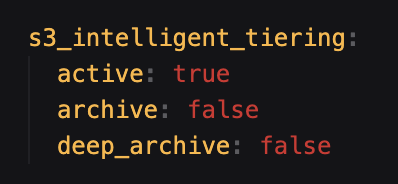
All cd4ml buckets will transition it's current storage (S3 Standard) to S3 Intelligent-Tiering. This feature is turned on by default, as of the date of this change. Settings can be defined accordingly in the product.yaml, following the structure below.
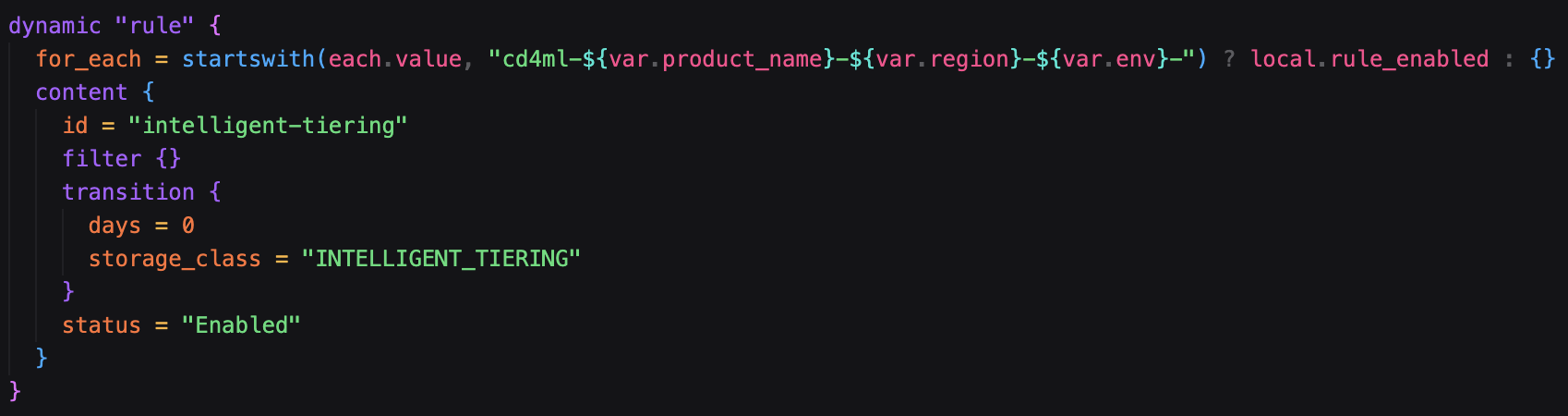
The currently existing objects in these buckets will not be deleted, but transferred to another storage tiering. This is done via a lifecycle policy that defines a 0 day transition to intelligent-tiering, as shown below.
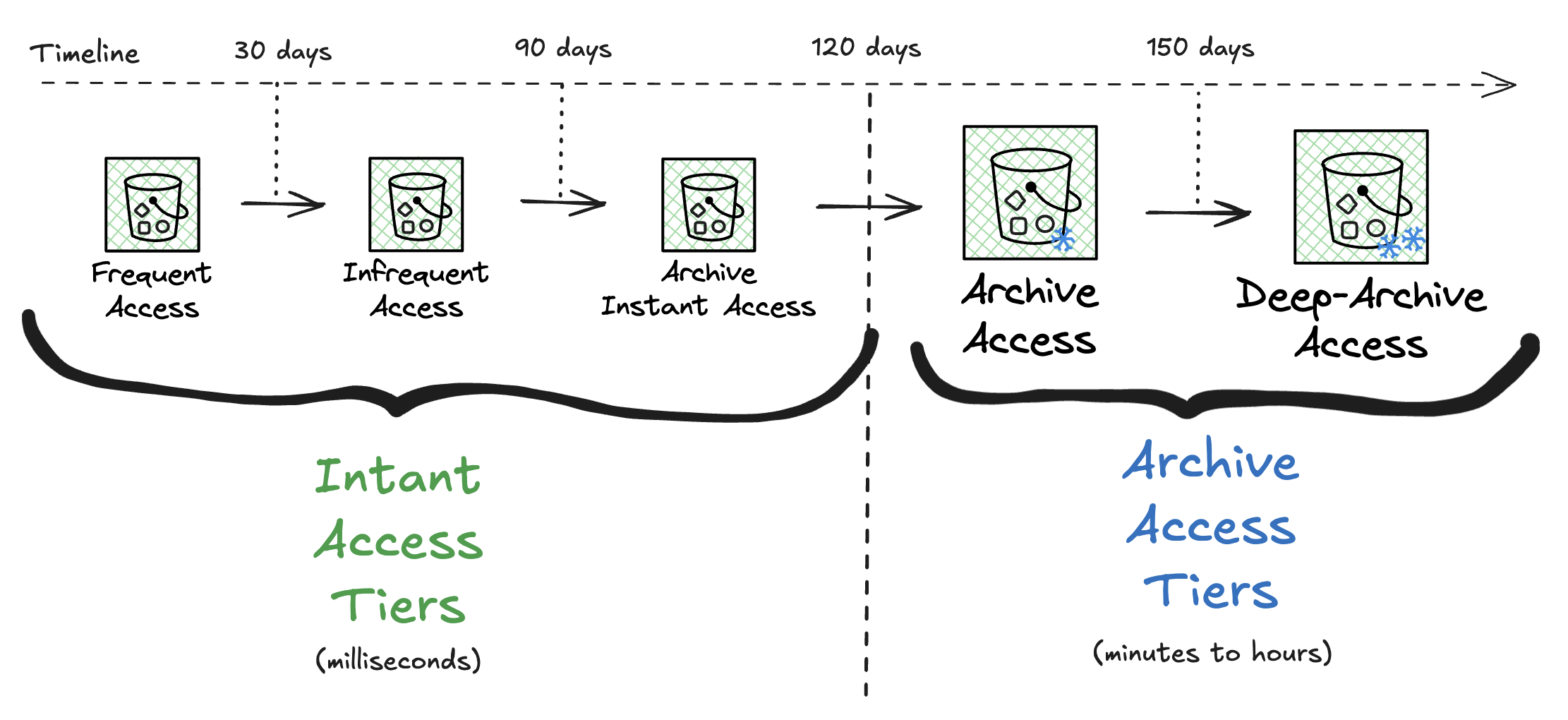
This change aims to try to cut costs in the long run by automatically transferring unaccessed data to a lower-cost tier. The defined settings for unaccessed data are the following:
- 0 - 30 days: Frequent Access Tier
- 30 - 90 days: Infrequent Access Tier
- 90 - 120 days: Archive Instant Access Tier
- 120 - 150 days: Archive Access Tier
- 150+ days: Deep-Archive Access Tier
Everytime data is accessed in any of these tiers, it returns back to the 'Frequent Access Tier'.
⚠️ Main Takeaways and Important Notes ⚠️
While we advise maintaining data in Intelligent-Tiering, here are some takeaways that may be important to mention:
- These changes are applied to all cd4ml buckets. For now, there is no option to "cherry-pick" buckets to not use it;
- Objects under 128 kb are always kept in the 'Frequent Access Tier';
- Instant Access Tiers are currently opt-out via product.yaml. If you turn this feature OFF:
- All objects stored in intelligent tiering won't be moved do S3 Standard / other unless a manual copy is made;
- New objects inserted after instant access is turned off will be stored in S3 Standard;
- If you turn this feature ON again, objects in Standard will be moved back to Intelligent Tiering automatically during the next evaluation cycle;
- Archive Access Tiers are currently opt-in via product.yaml. If you turn these features ON:
- Data that is in 'Archive Instant Acess', if it's unaccessed time is above defined thresholds (120+ / 150+), will be moved to their respective tiers during the next evaluation cycle;
- Data retrieval from Archive Access Tiers require a restore request, which causes it to be brought back to 'Frequent Access Tier';
- If you turn these features OFF again, objects will stay in Intelligent Tiering, in their respective tiers. Retrieval of this data to another storage type will require a restore and manual copy;
We also advise to revise bucket storage usage to try to reduce storage costs whenever possible (temp files, unused data / files, etc...).