Cleaning Up Kubeflow Pipeline Resources
Introduction
When you've finished working with your Kubeflow pipelines, it's important to properly clean up your resources to avoid unnecessary storage consumption and maintain a well-organized workspace. This guide walks you through the essential cleanup steps in the Kubeflow pipelines portal, including archiving or deleting your repository, removing notebooks, deleting pipelines, and cleaning up persistent volumes.
Cleanup Steps
Step 1: Archive or Delete the Repository
After running your pipeline and implementing all necessary changes, archive or delete the repository to free up resources.
- Archive: Preserve the repository for future reference without consuming active storage
- Delete: Completely remove the repository if it's no longer needed
Step 2: Delete the Notebook
Remove the notebook associated with your pipeline.
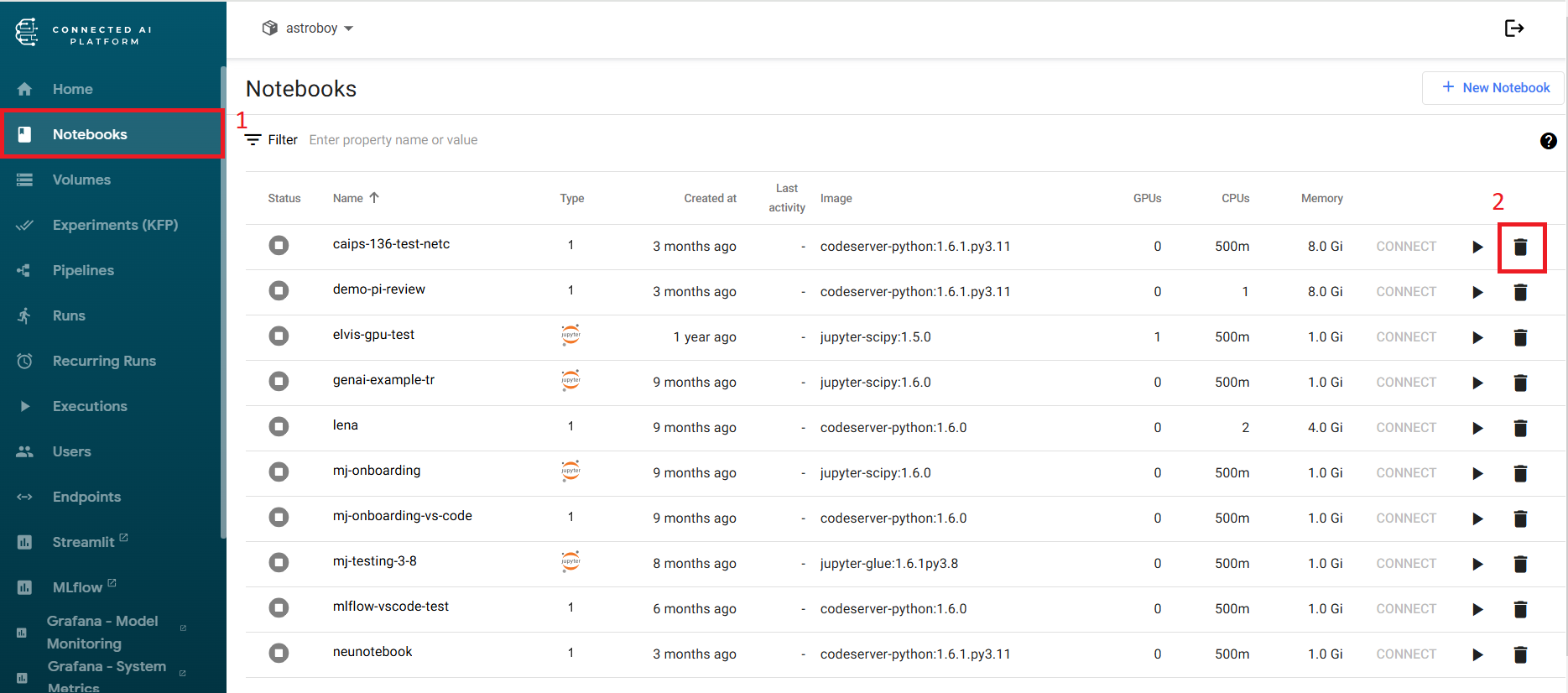
Navigate to your notebooks section and delete the notebook file you created for this pipeline.
Step 3: Delete the Pipeline
Remove the pipeline definition from your Kubeflow workspace.
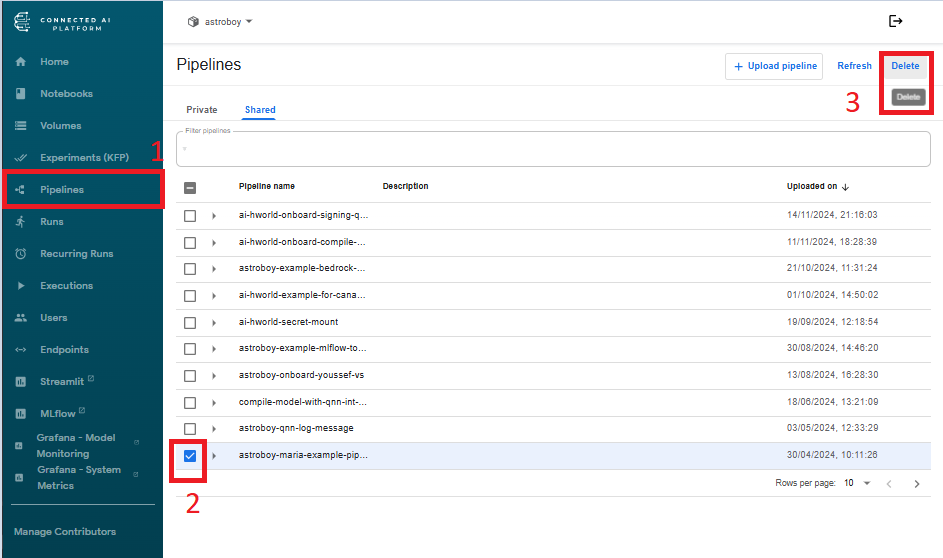
Go to your pipelines list and delete the pipeline configuration and metadata.
Step 4: Delete the Volume
Important: Delete the persistent volume, as it does not get automatically removed during other cleanup steps.
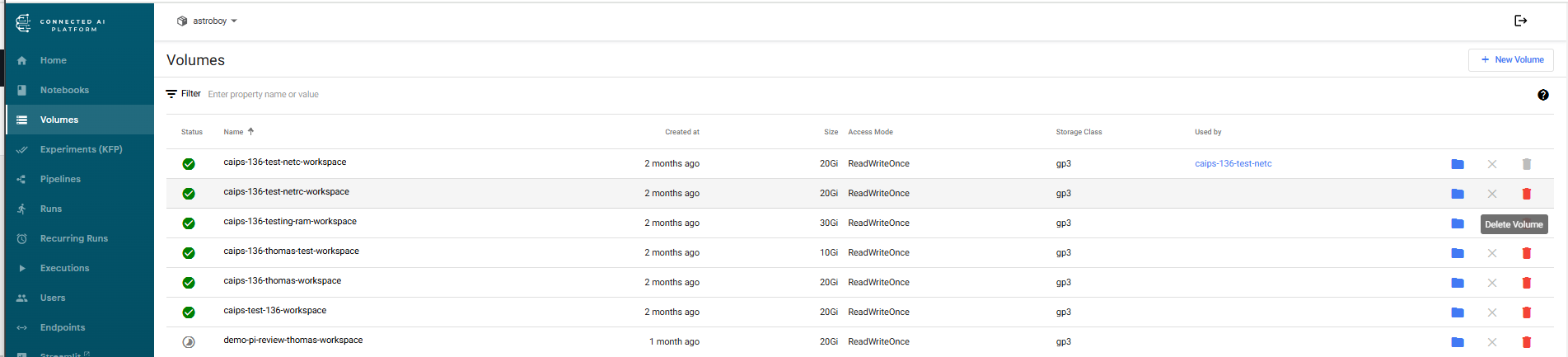
Persistent volumes require manual deletion. Navigate to your storage/volumes section and remove any volumes associated with the cleaned-up pipeline.
Tip: Perform these cleanup steps in order to ensure all dependencies are properly removed and avoid orphaned resources.