Overview
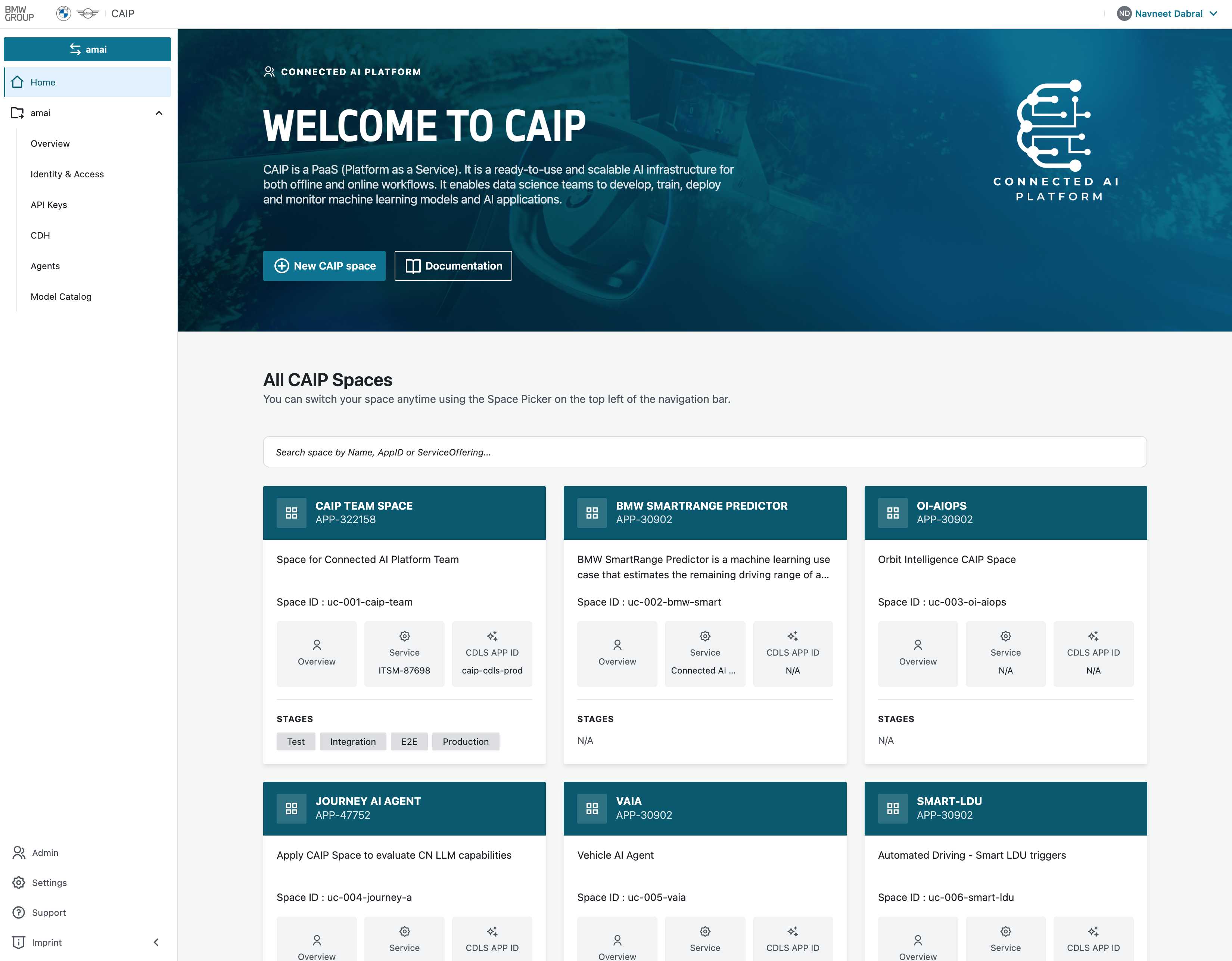
Welcome to the CAIP Web Portal — your central entry point to explore and manage all CAIP offerings. The portal provides a unified interface to manage Spaces, Users, API Keys, Agents, CDH Links, Costs, and to access our Documentation Hub and Updates.
The Web Portal is currently in an early stage and will be eagerly extended in the following months.
- If something is not working as expected, please don't hesitate to open an Incident (INC) to our Service Offering "Connected AI Platform". Learn more about raising an INC here.
- If you want to give feedback, reach out to paul.weber@bmw.de.
Portal Features
The Web Portal gives you access to the following CAIP offerings. Click on each to learn how to interact with them through the portal.
- Getting Started: First-time user onboarding, requesting a new Space, and joining an existing Space.
- Spaces: The central concept of the portal — manage your project folders that bundle all relevant services and resources.
- Identity & Access: Manage user memberships, M2M clients, and API keys for your Spaces.
- Agent Management: Oversee the lifecycle of your AI agents built with the CAIP Agents Foundry.
- CDH Links: Create and manage CDH links directly from your CAIP Spaces.
- Cost: Monitor spending, analyze cost trends, and view billing details for your Space.
- Model Catalog: Browse and discover available AI models on the platform.
- Permissions Matrix: See centralized Create/Read/Update/Delete permissions by feature for Owner and Member roles.
Documentation
In the Documentation Hub, you will find comprehensive information about all CAIP services, best practices, and onboarding guides. You can access the Documentation Hub directly via the Docs link in the top, right navigation bar of the Web Portal.
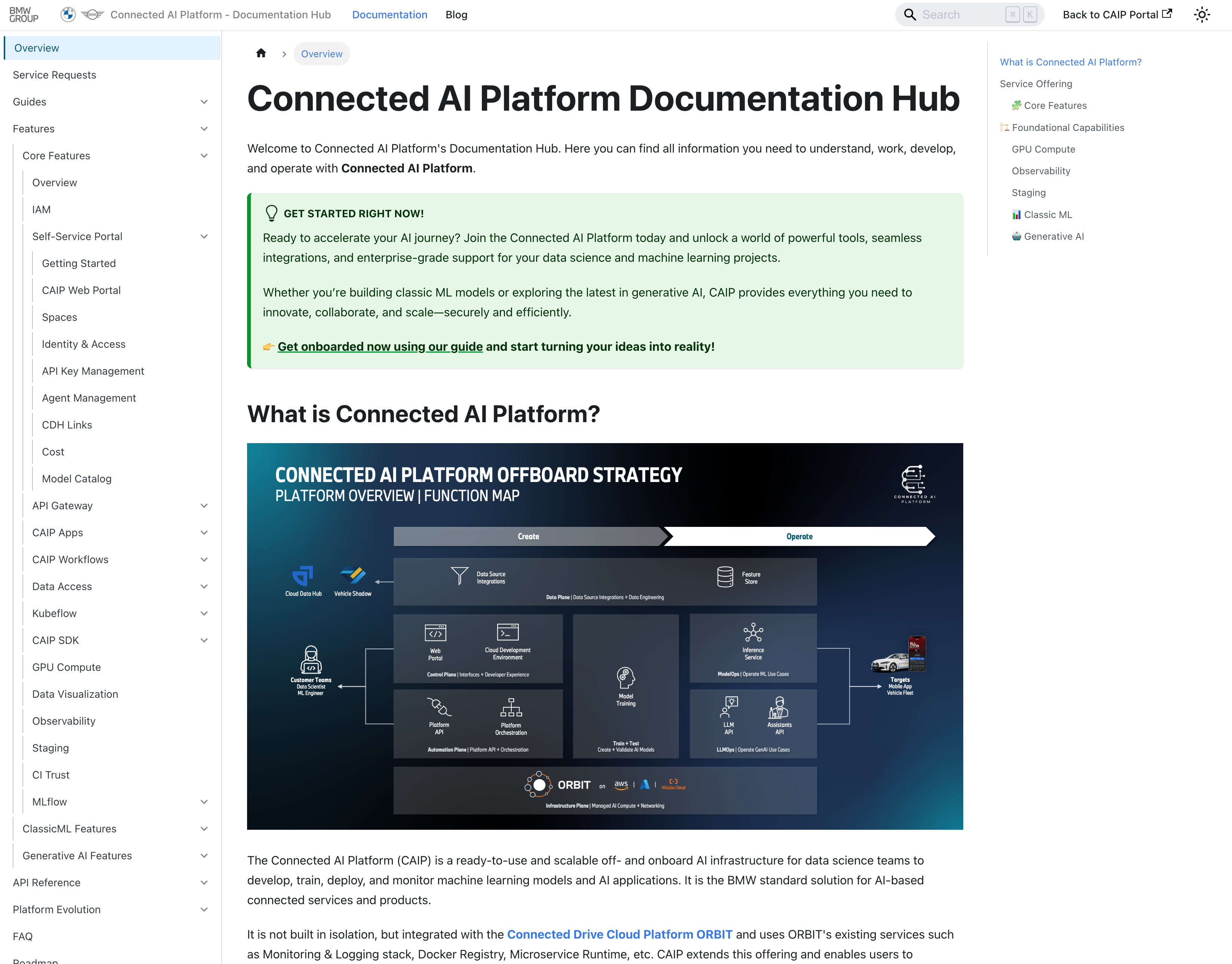
This hub is your single source of truth for platform knowledge, designed to help you quickly find the information you need without switching to external sources.
Updates
The Updates Section of the portal keeps you informed about the latest changes, new features, and important announcements. You can access it from the top, right navigation bar, ensuring that you always stay up to date with improvements and new capabilities as they become available.
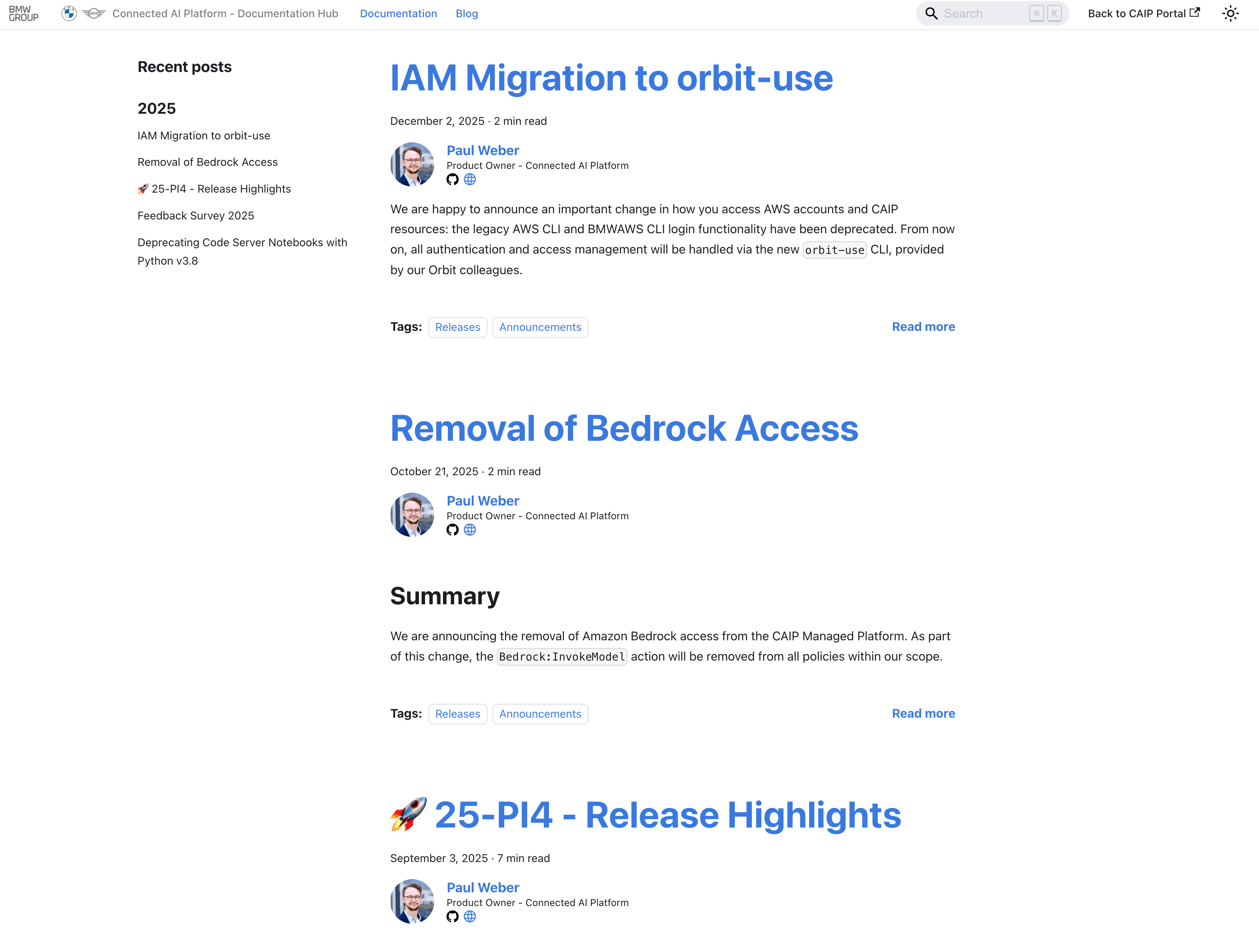
This section helps you to stay connected with the evolution of the platform and ensures that you don't miss out on new opportunities or important notices.