Agent Management
The Agent Management section provides a centralized interface for managing your AI agent metadata within the CAIP Web Portal.
Agent Management in the portal is only for storing agent metadata — it does not create or deploy a fully functional agent by itself. To build a full-fledged agent with tool use, LLM orchestration, and agentic capabilities, you must use the CAIP Agents SDK.
This section allows Space Owners and Members to register, view, and update agent metadata (name, model, instructions, etc.) that is then referenced by the Agents SDK during agent execution.
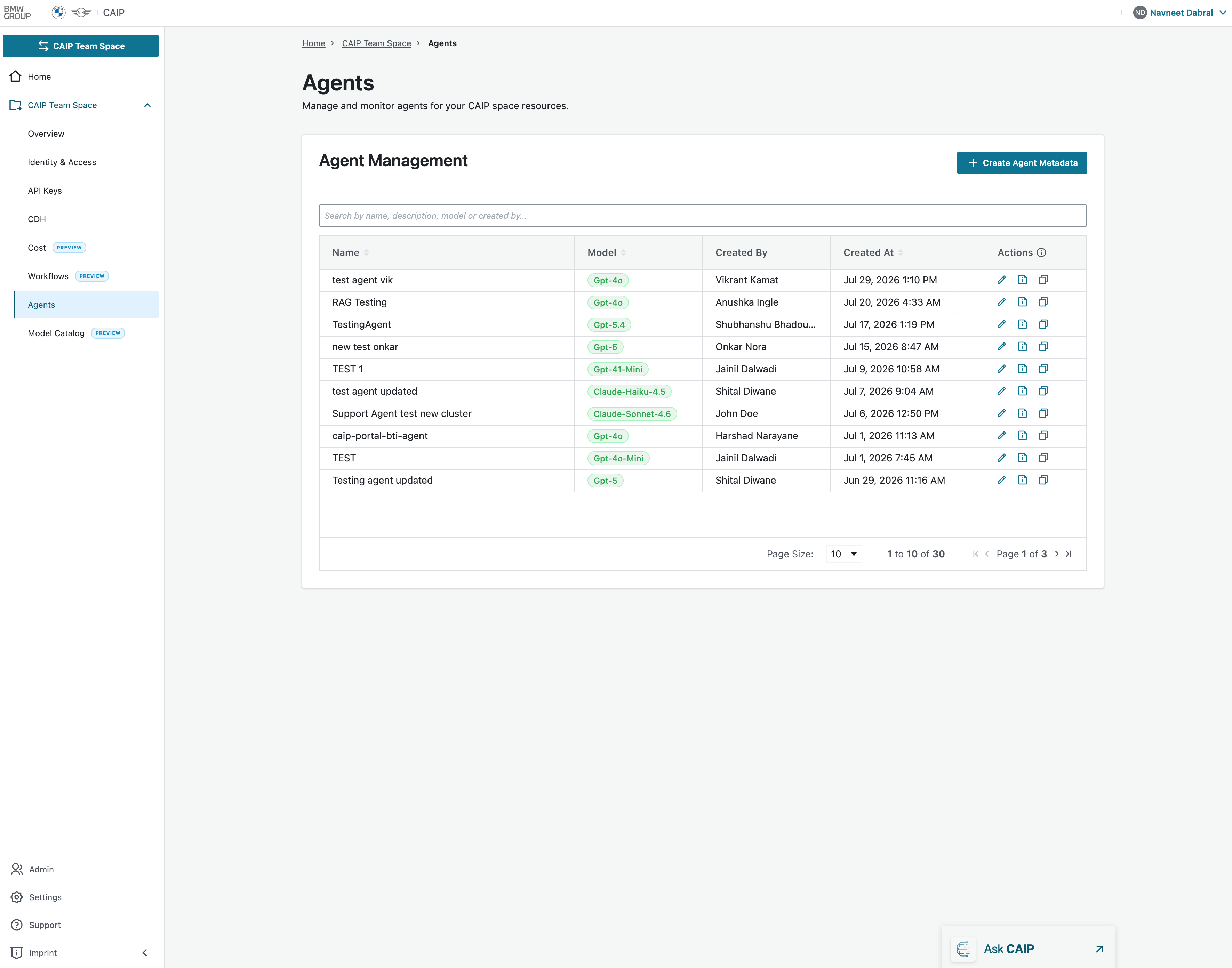 Agents Overview Page
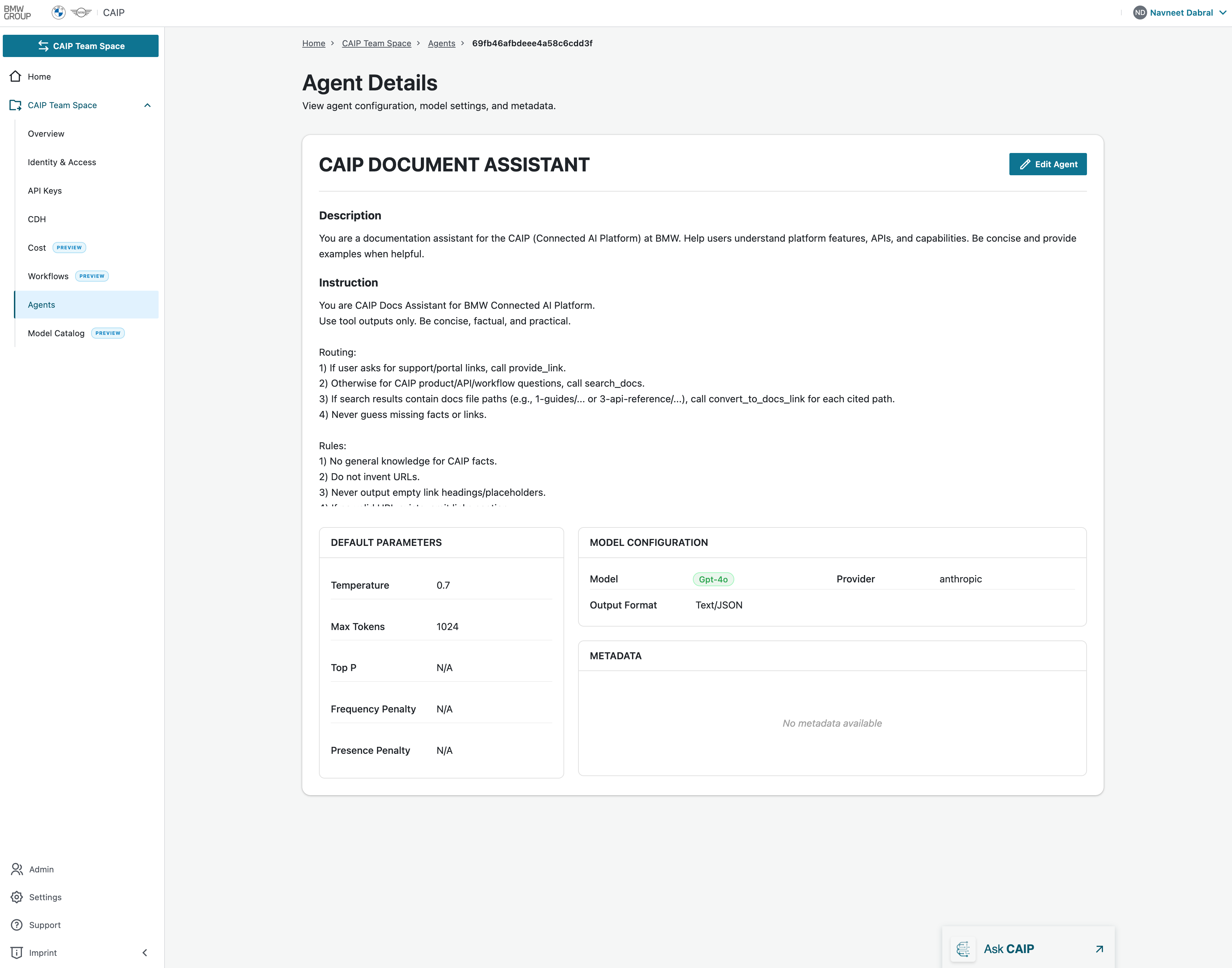 Agent Details & Description
Create Agent Metadata
To create the Agent Metadata, you need to provide the following:
| Field | Description |
|---|---|
| Display Name | Enter a display name for the agent. |
| Agent Model | Select the type of agent model from the dropdown list. Before choosing a model, you can review the Model Catalog and compare the available LLMs. |
| Agent Description | Provide a description for the agent. |
| Instructions | Add any instructions you want the agent to follow. |
| Output Format | The output will be generated in JSON format only. |
| Metadata (Optional) | If you want to add metadata, you can either enter a Key and its corresponding Value, or add a Default Parameter. |
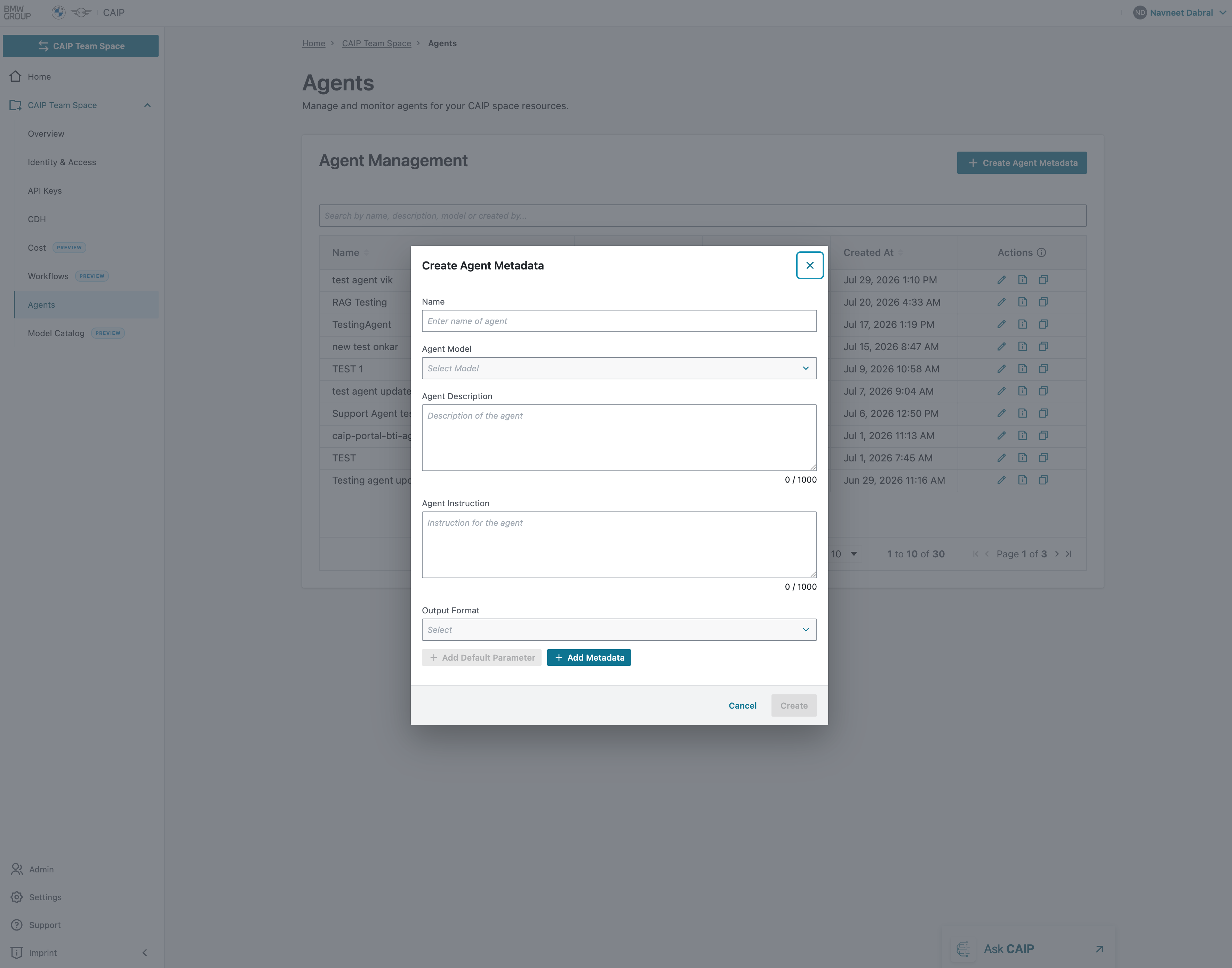 Create New Agent Form
How It Works: From Metadata to a Full Agent
The Agent Management portal stores your agent's configuration. To build and run an actual agent, you need two key identifiers from the portal:
| Identifier | Where to Find It | Purpose |
|---|---|---|
| Space ID | Space Overview page (copy button) | Associates the agent with your CAIP Space and its resources |
| Agent ID | Agent Management page (copy action) | Uniquely identifies the agent metadata to load during execution |
Workflow
- Register metadata in the portal (Create Agent) — this stores the agent's name, model, instructions, and parameters.
- Copy the Space ID and Agent ID from the portal.
- Use the CAIP Agents SDK in your codebase, passing the Space ID and Agent ID to load the metadata and build a fully functional agent with tools, threads, and LLM orchestration.
Update Agent
When you update an agent's metadata through the portal (e.g. change the model, instructions, or parameters), the changes are stored centrally. The next time your SDK-based agent loads its configuration using the Agent ID, it will automatically pick up the updated metadata — no code changes required.
This decouples agent behavior configuration (managed via the portal) from agent logic (managed via the SDK), enabling non-developers to tune agent behavior without modifying code.
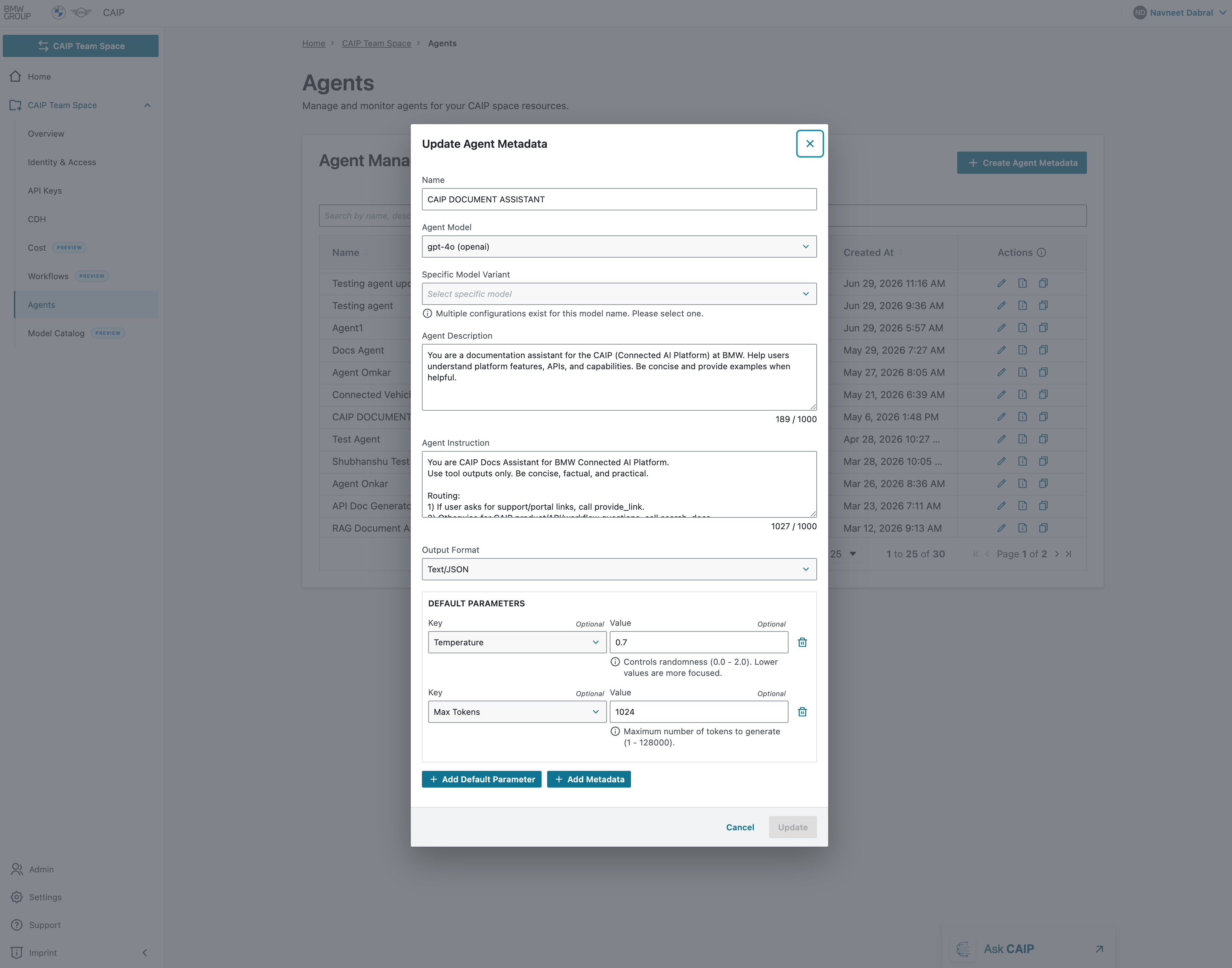 Edit Agent Form
Permission Levels
See the centralized Permissions Matrix for owner/member Create, Read, Update, and Delete permissions across all portal features.
Building a Full Agent
To create a fully functional agent with the CAIP Agents SDK:
- Register your agent metadata in the portal (as described above)
- Set up your environment with
CAIP_SPACE_IDandCAIP_AGENT_ID - Install the CAIP Agents SDK
- Follow the Hands-on Guide to build, add tools, and deploy your agent
For the complete Agents Foundry documentation, visit the Agents Foundry section.