Model Catalog
The Model Catalog serves as a centralized repository for discovering, evaluating, and comparing all available Large Language Models (LLMs) on the CAIP platform. It enables users to quickly identify models that meet their business and technical requirements by providing detailed information about capabilities, pricing, supported modalities, deployment regions, and lifecycle status.
The Model Catalog is designed to help users:
- Browse available foundation models and agents.
- Compare models across providers.
- Understand model capabilities and limitations.
- Review pricing and context window sizes.
- Evaluate supported modalities and features.
- Track model lifecycle and retirement dates.
- Select the most appropriate model for specific use cases.
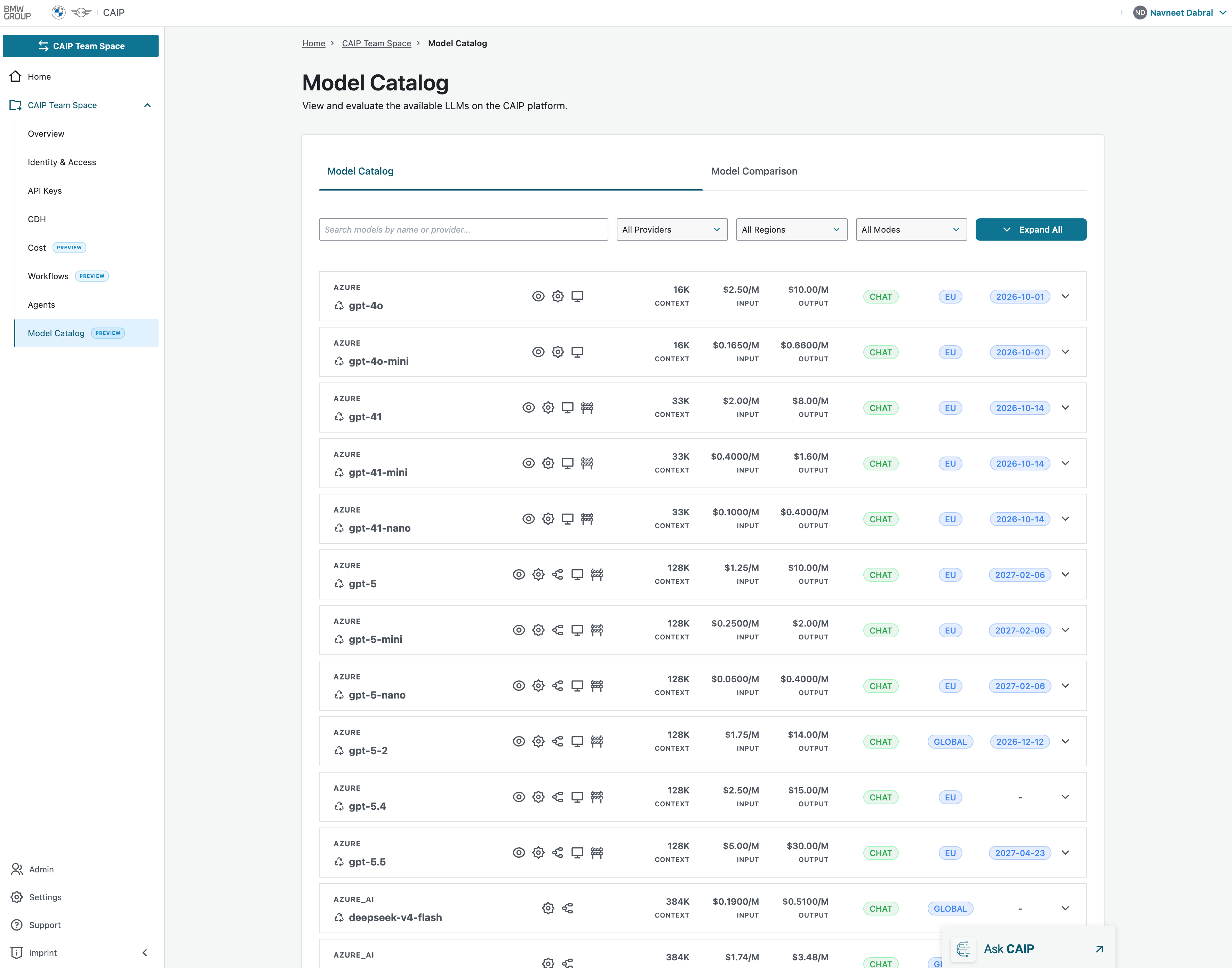 Model Catalog Overview
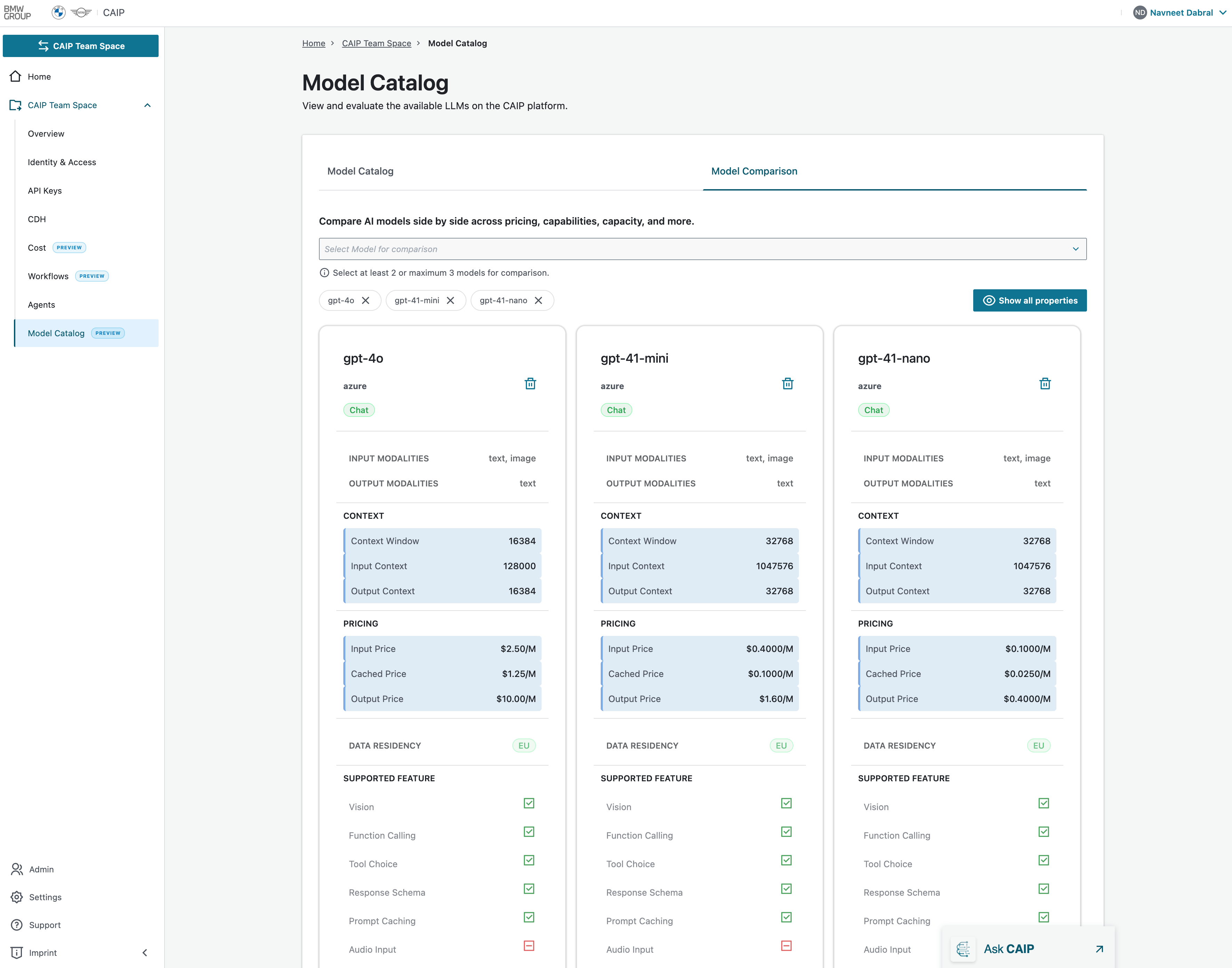 Model Comparison View
Search and Filtering
Users can narrow down available models using the following filters:
| Filter | Description |
|---|---|
| Search | Search models by name or provider |
| Provider | Filter models by vendor (Azure, OpenAI, Anthropic, etc.) |
| Region | View models available in specific deployment regions |
| Modes | Filter by supported model interaction types |
| Expand All | Expands all model cards to display detailed capabilities |
Model Information
| Field | Description | Example |
|---|---|---|
| Model Provider | Indicates the cloud or model provider | Azure |
| Model Name | The unique model identifier | GPT-4o |
| Capability Indicators | Icons shown beside the model name represent supported capabilities | — |
| Interaction Mode | Indicates supported interaction patterns | CHAT |
| Region Availability | Shows where the model is hosted and available | EU |
| Retirement Date | Displays the planned retirement date of the model | 2026-10-01 |
The Retirement Date provides visibility into the model lifecycle and helps customers plan migrations to successor models before the model becomes unavailable.
Retirement Management
Importance of Retirement Dates
Retirement dates are highlighted to ensure users have sufficient visibility into upcoming model deprecations. When a model reaches its retirement date:
- New deployments may no longer be permitted.
- Existing integrations may stop receiving support.
- Security updates and enhancements may cease.
- Users should migrate workloads to recommended successor models.
Best Practice
Users are encouraged to:
- Regularly review retirement dates in the Model Catalog.
- Plan migrations at least several months before retirement.
- Test replacement models in lower environments.
- Update dependent agents, applications, and workflows before model decommissioning.
The Retirement field serves as an early warning mechanism, enabling proactive lifecycle management and uninterrupted service continuity.
Permission Levels
See the centralized Permissions Matrix for owner/member Create, Read, Update, and Delete permissions across all portal features.
Learn More
For the full list of available models and usage details, see the Model Catalogue documentation.