Spaces
Spaces are the central concept of the CAIP Web Portal. A Space is a logical unit where all CAIP offerings come together, and you can think of it as a Project Folder that bundles all relevant services and resources for your use case.
When you log in, you will see a list of all Spaces where you are either an Owner or a Member. From here, you can easily switch to a different Space using the Space Switcher located at the top left (teal button) of the portal interface.
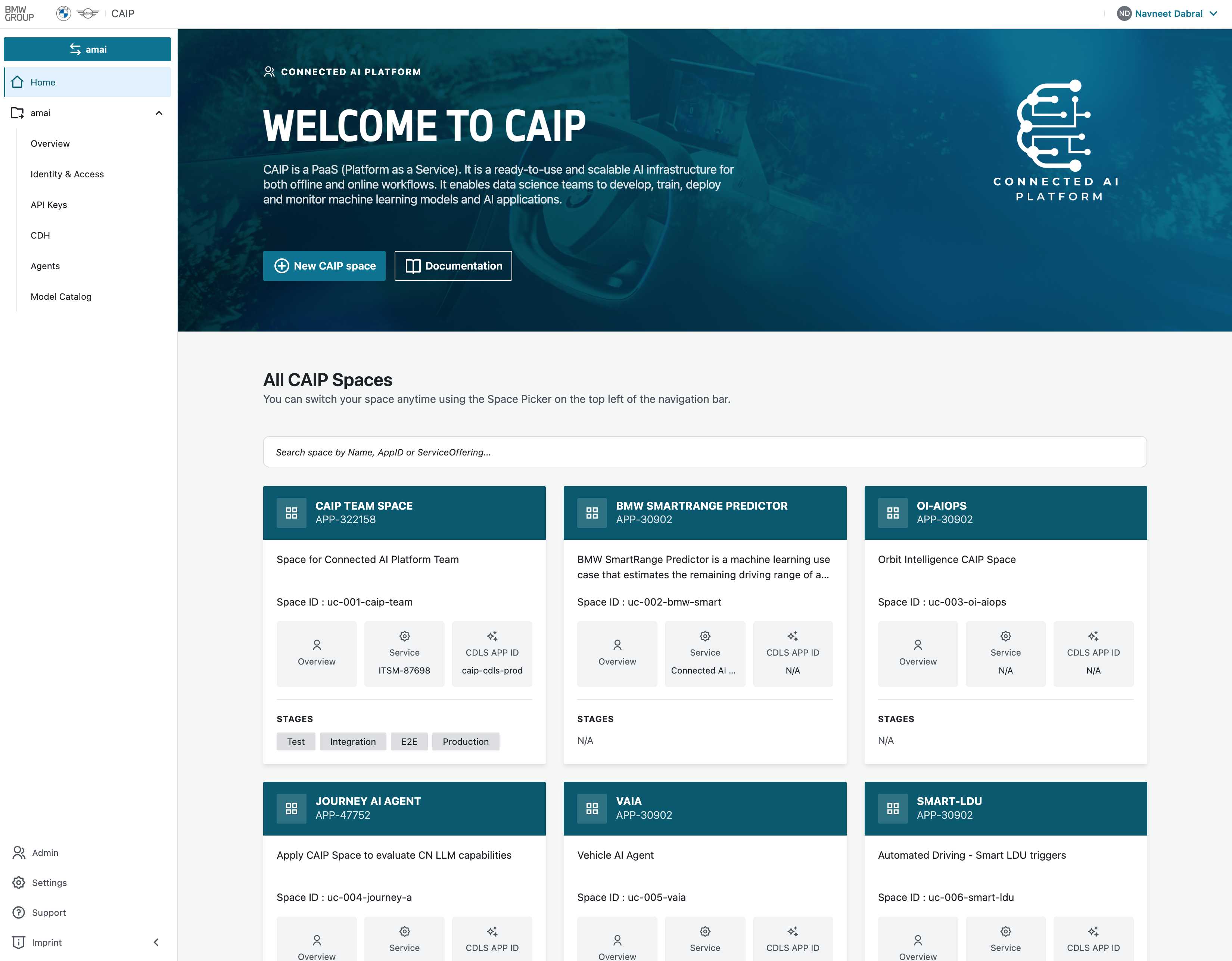
Each Space provides a dedicated view of its services and resources, accessible through the navigation bar on the left-hand side. This structure enables effective project separation, permission management, and a focused Space tailored to your needs.
Overview
The Overview page serves as a dashboard for your Space, providing a summary of key metrics at a glance:
- Total API keys generated
- Total active members
- Total M2M clients
- Total CDH links
- Total agents created
- Cost consumption and usage details for the Space
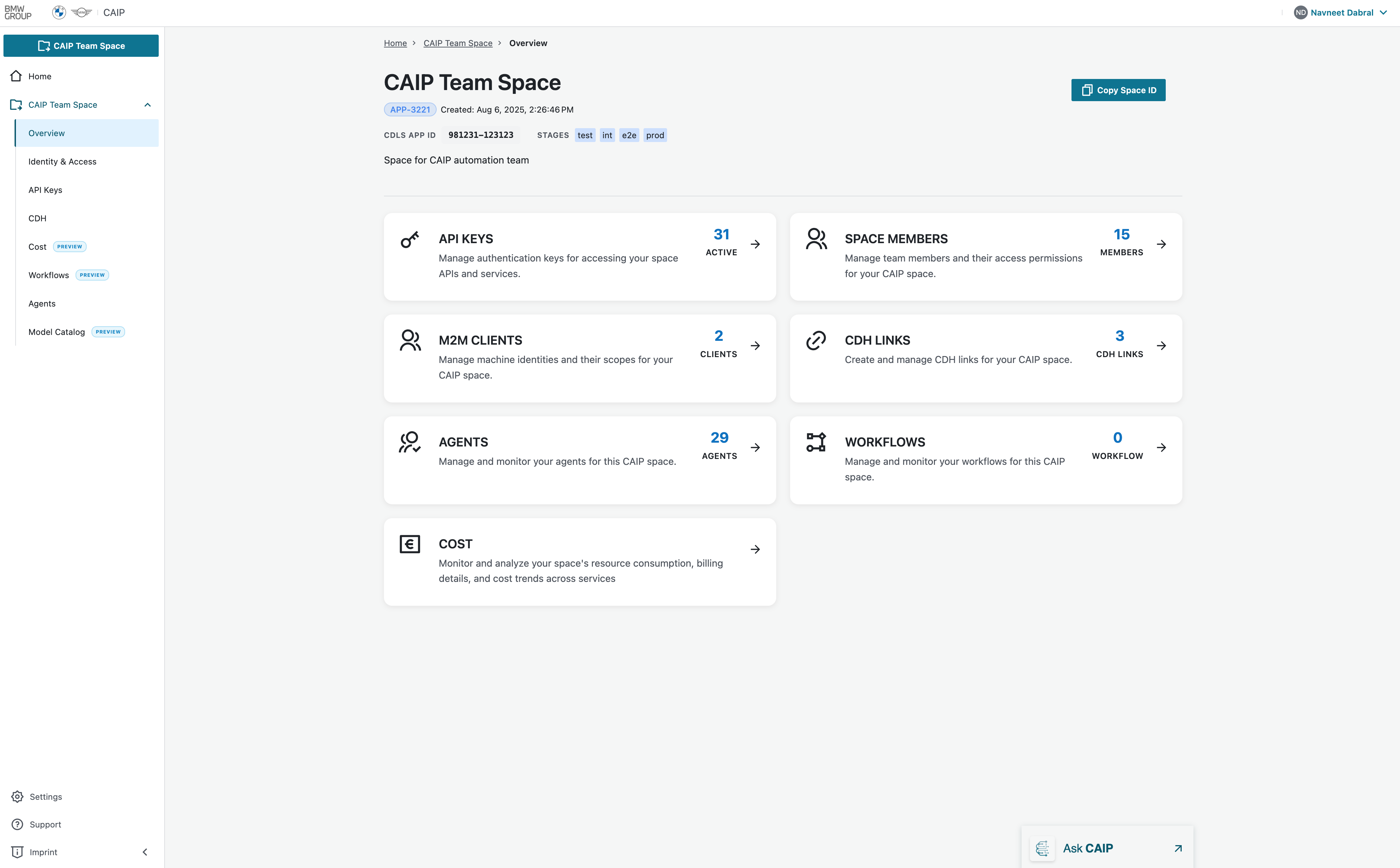 Member View
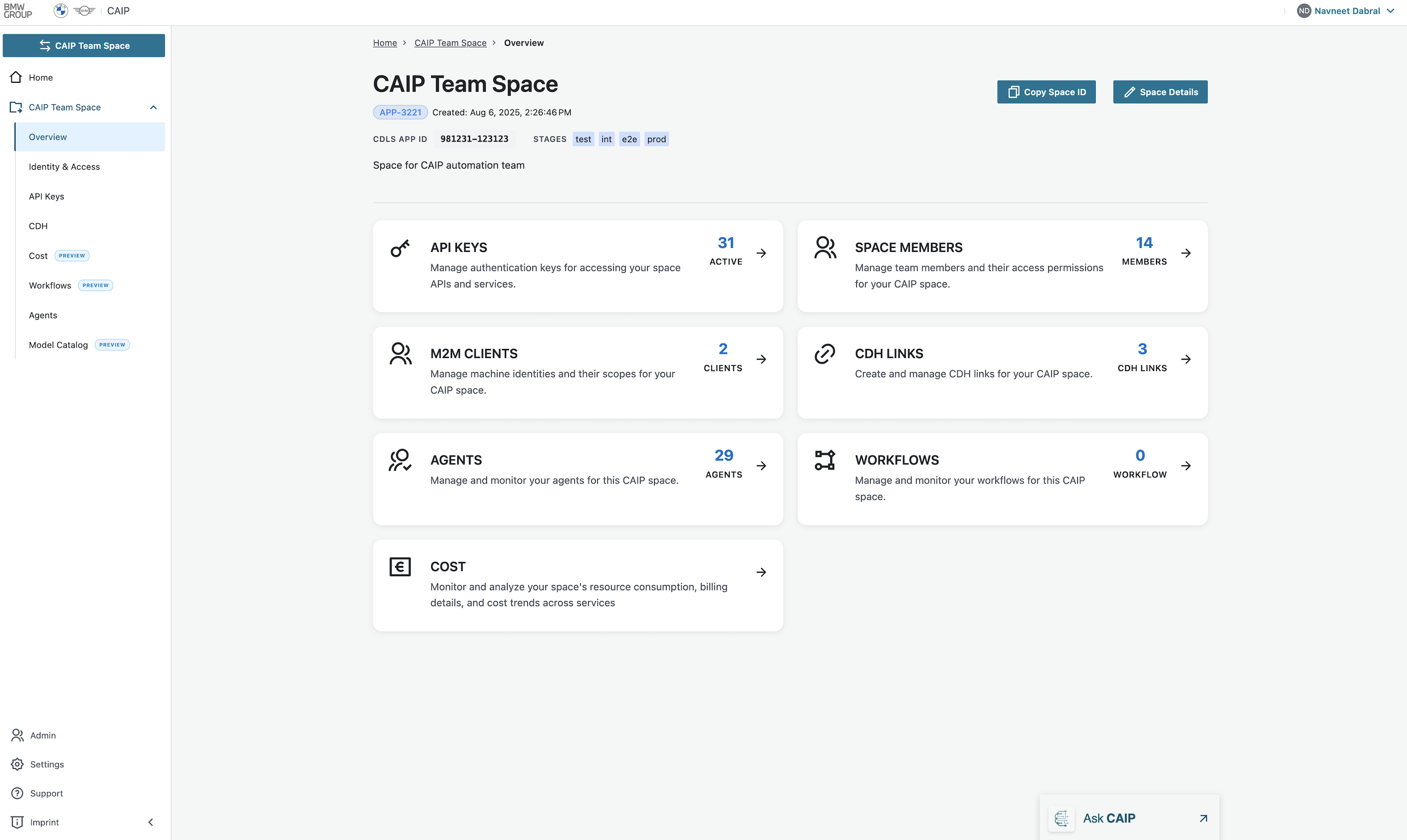 Owner View
User can copy space ID for further space related actions
Permission Levels
See the centralized Permissions Matrix for owner/member Create, Read, Update, and Delete permissions across all portal features.