Immediate Support
🧭 How to Raise an Incident for Connected AI Platform
If you’re experiencing a production issue or critical malfunction in the Connected AI Platform (CAIP), please follow the steps below to raise an incident ticket via ITSM.Next (ServiceNow).
Open an ITSM.Next ticket to service offering "Connected AI Platform" via MyBMW IT.
🪜 Step-by-Step Instructions
| Step | Instruction | Details |
|---|---|---|
| 1 | Open MyBMW IT. | Open MyBMW IT |
| 2 | Select “IT Interruption” and switch the toggle from Guided to Manual Mode. | 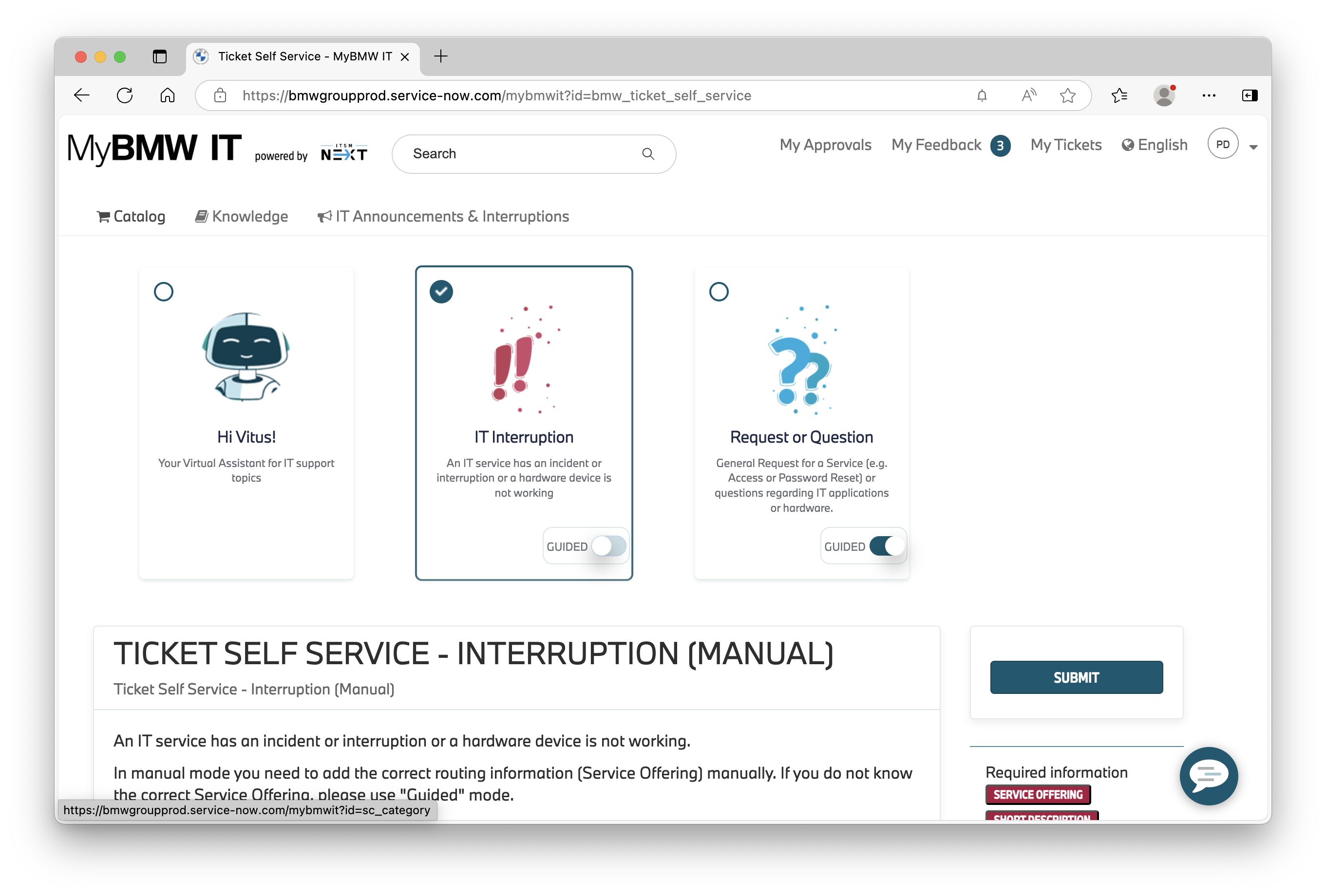 |
| 3 | Fill in “Connected AI Platform” in field Service Offering. | 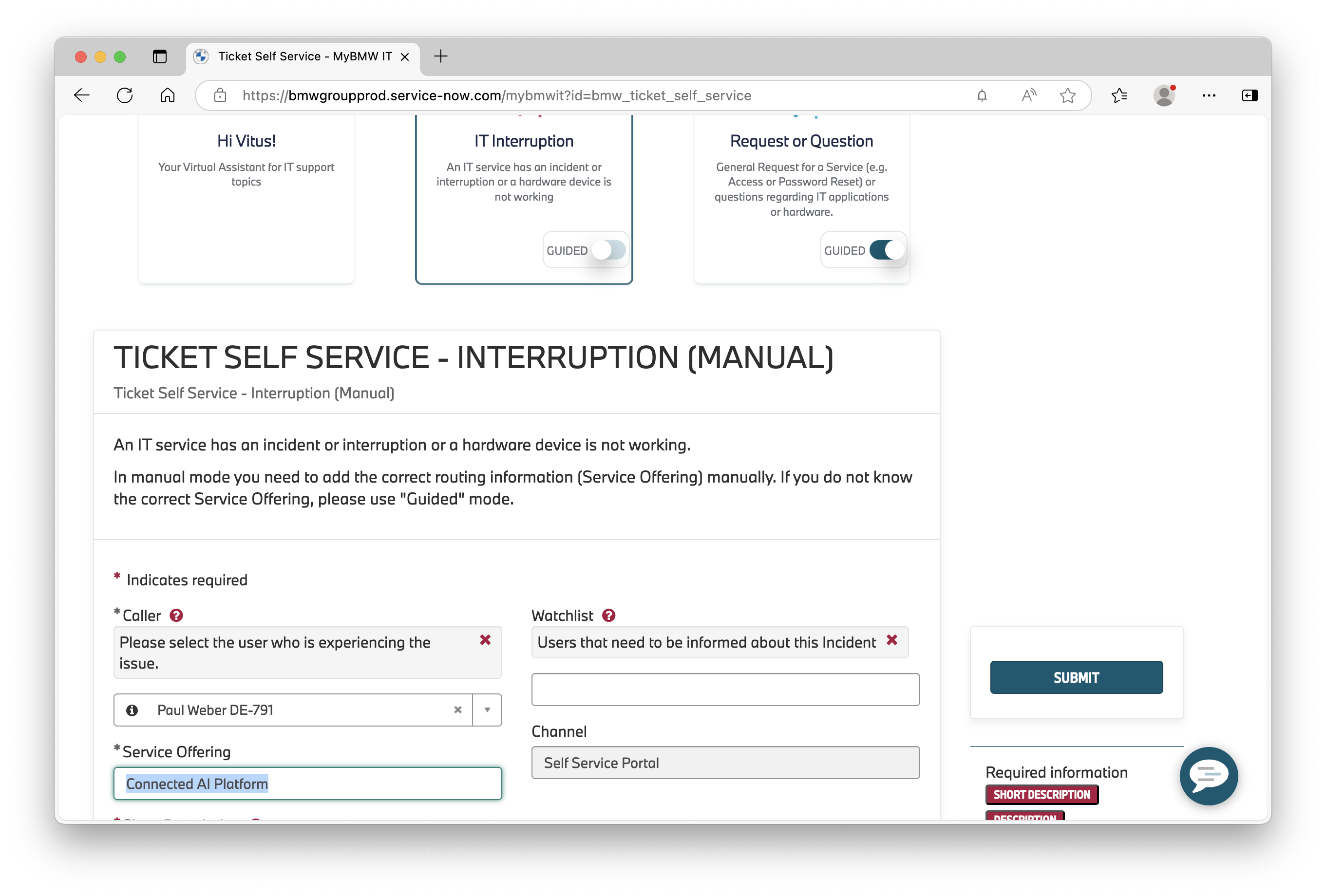 |
| 4 | Fill in a meaningful Short Description and Description. ✅ All information provided! To ensure fast and accurate support, please include the following: - Your CAIP Space or ORBIT Namespace (e.g. ai-rsrch/motiv-ai) - AWS Account ID (if known) - Region (e.g. eu-central-1) - Environment (e.g. dev, prod) - Services impacted (e.g. Kubeflow, MLflow, Storage) | 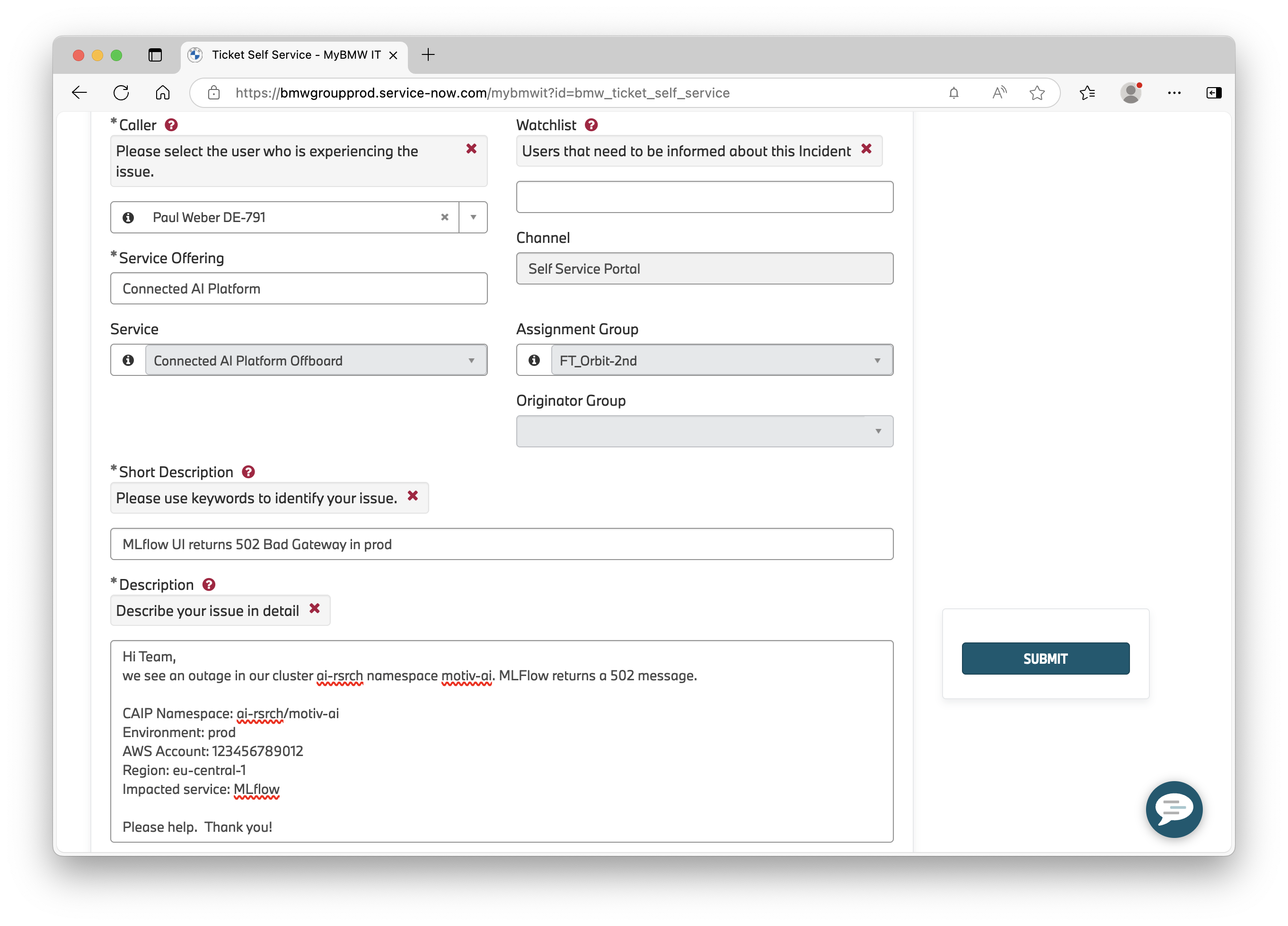 |
| 5 (optional) | Adjust the Urgency and Impact of the issue in accordance with the Connected Drive Incident Priority Matrix. | 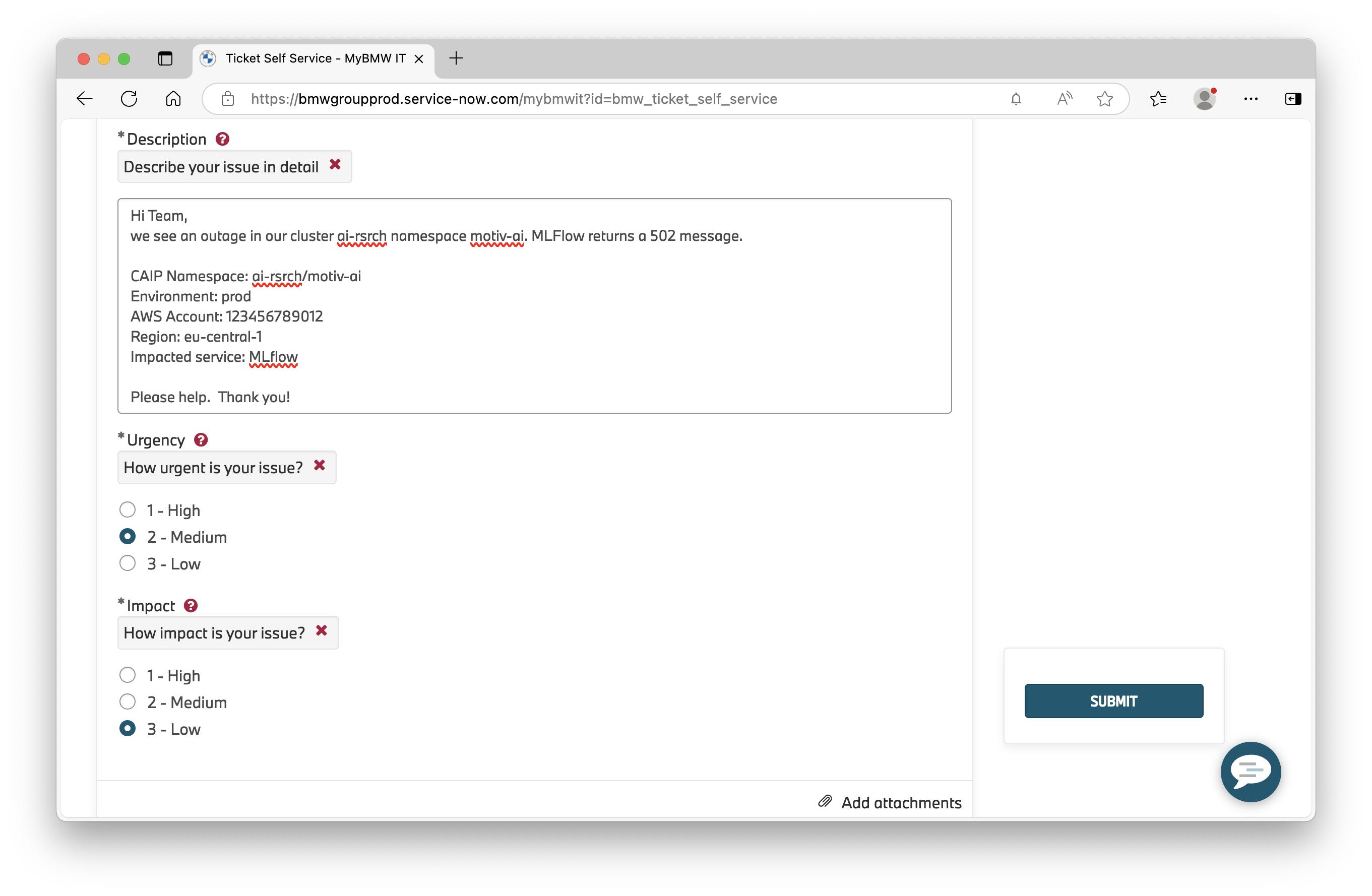 |
| 6 | Submit your Incident Ticket. |
Incident Priority Matrix
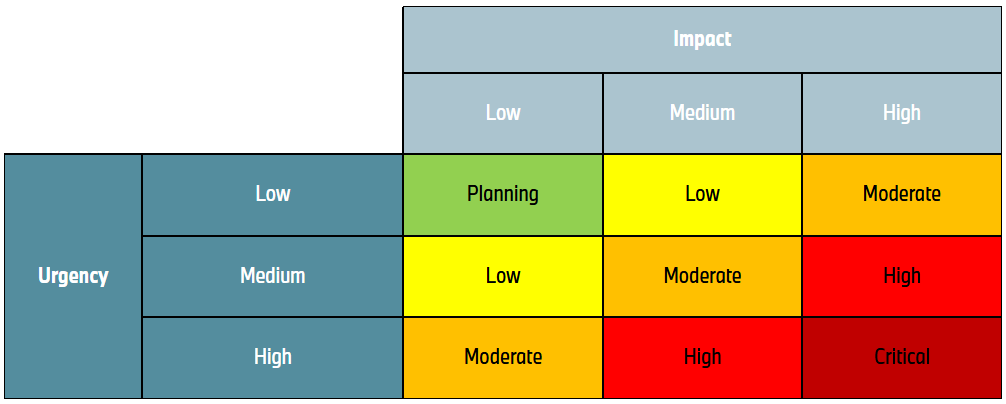
One of the most important control factors within the Incident Management process is the priority of an incident. It is derived from an Impact / Urgency matrix.
The priority of an Incident is automatically calculated based on the impact and urgency ratings. The Priority Matrix below illustrates how the automatic prioritization is performed.
Impact
The impact describes the effects of the Incident on the company. The following guideline supports the correct classification of the impact that should be selected.
| Impact | Description |
|---|---|
| 3 – Low | • A minimal number of employees are affected and/or able to provide acceptable service, but this requires additional effort. • A minimal number of customers are affected and/or impacted, but not to a significant extent. • Damage to BMW's reputation is likely to be minimal. |
| 2 – Medium | • A moderate number of employees are affected and/or unable to do their jobs properly. • A moderate number of customers are affected or impacted in some way. • The damage to BMW's reputation is likely to be limited. |
| 1 – High | • A large number of employees are affected and/or unable to do their jobs. • A large number of customers are affected and/or acutely disadvantaged in some way. • The damage to BMW's reputation is likely to be high. • Someone has been harmed. • A legal exposure is expected or has already occurred. |
Urgency
The urgency indicates when the expected impact will happen. The guideline below assists with selecting the correct urgency level.
| Urgency | Description | Description for Office Workplaces (e.g. office laptop) |
|---|---|---|
| 3 – Low | • The damage caused by the Incident increases only slightly over time. • Work that is not done is not time-bound. | • Damage caused by the Incident increases only slightly over time. Work is impacted but not time-critical. • Resolution is not time bound and can be planned. • Resolution needs planning (to be scheduled). |
| 2 – Medium | • The damage caused by the Incident increases significantly over time. | • Standard for office workplace Incidents • Damage caused by the Incident increases over time. |
| 1 – High | • Damage caused by the Incident is increasing rapidly. • Work that is not done is time-bound. • Immediate action can prevent a small Incident from becoming a large Incident. | • Damage caused by the Incident is increasing rapidly. • Office work can’t be done at all. Office workplace can’t be used at all. |
In case you want to find out more about the general incident handling process at BMW, you can find all related docs in the respective 📕 Process Handbook - IT.01.03.09 Manage Incidents on Confluence.
Incident SLAs
The SLA (Service Level Agreement) is measured over the total time from submit to resolve.
- The SLA is started when the Incident is created and submitted.
- The SLA does not pause for any of the priorities as this measures the user experience of the Incident lifecycle from creation to resolution.
- The SLA only pauses at resolution of the Incident and completes when the Incident is closed.
In the following you can find SLAs (Service Level Agreements) for ticket handling within Connected AI Platform, which follows the ConnectedDrive Standard SLAs.
| Priority | Reaction Time (in Hrs) | Resolution Time (in Hrs) |
|---|---|---|
| Critical | 0.25 | 8 |
| High | 1 | 12 |
| Moderate | n/a | 48 |
| Low | n/a | 72 |